Greenlight Family Hub: Full (Honest) Review
I tested the Greenlight Family Hub as a busy, working mom of 3. See how it handles chores, allowance, and our family’s chaotic schedule in this honest review.
Thank you to the Greenlight Team for gifting our family the Greenlight Family Hub to review! All opinions are my own. This post contains affiliate links.
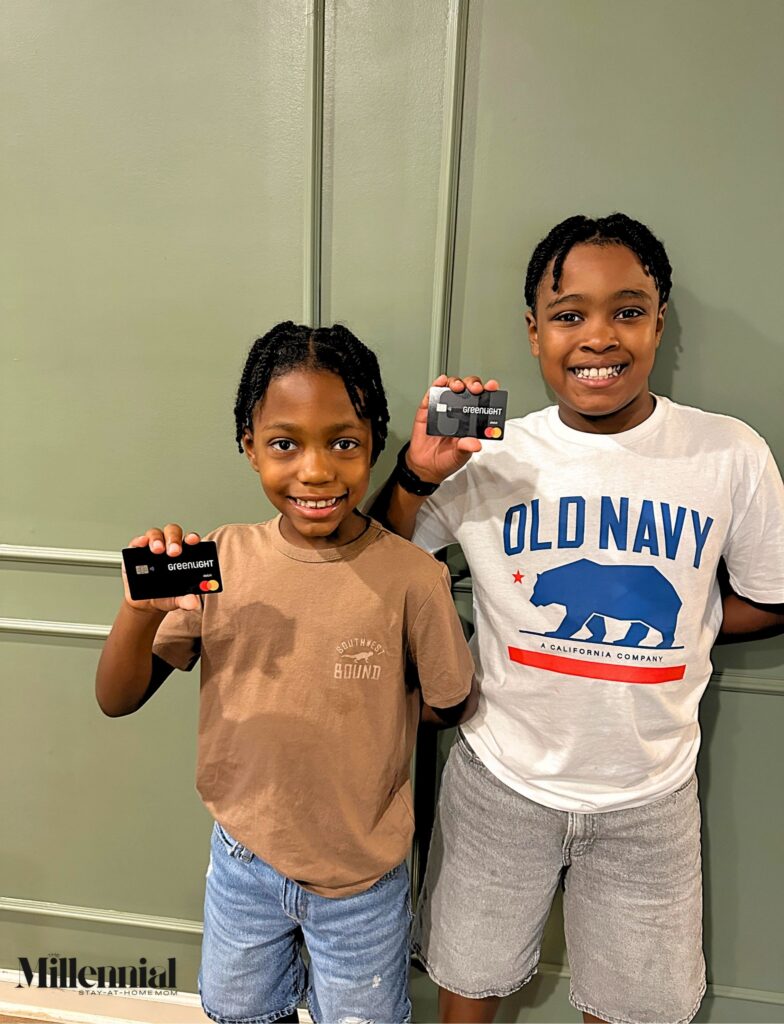
This past summer, in our annual Christmas in July, we gifted our boys their very own Greenlight debit cards! From requesting gift cards in stores to asking to borrow our debit cards for the concession stand, we figured it was officially time for the boys to have a card of their very own. It’s been so helpful as we continue to teach them financial responsibility. Back in August, I had the pleasure of connecting with the Greenlight Team and getting the opportunity to test out their Greenlight Family Hub!
If you’ve been a long-time reader, you KNOW I am all about having a solid system in place, so our family can thrive (& so I can maintain my sanity!). Lately, especially with the start of back-to-school, restarting extracurriculars, and starting a new job (more on that soon in another post!), I found myself constantly forgetting things or mixing up important dates. No matter how many reminders I set or sticky notes I made, I realized I couldn’t keep up. For years, I had become the default calendar for our entire family. Not only was I keeping my schedule straight, but even with our other calendars and systems in place, I was still holding everyone else’s calendar in my head, and the Greenlight Family Hub was the perfect opportunity to finally bring some order to our home.
Besides, now that the boys are older, I’ve been wanting them to take more responsibility for the important dates on their schedules. Our main family calendar covers everything, including my husband’s and my personal schedules, but since we’re already active in the ‘Greenlight world’, I set out to see if we could use the Greenlight Family Hub as a central hub for the kids. I wanted to set it up so it could hold everything related to school, extracurricular activities, field trips, projects, and, most importantly (to the kids at least), allowance!
To be completely transparent, I had planned to get this post to you weeks ago, but we were in the thick of juggling all of the activities and routine changes, and as a result, we really were able to put the Greenlight Family Hub to the test!
So, What Exactly Is the Family Hub?
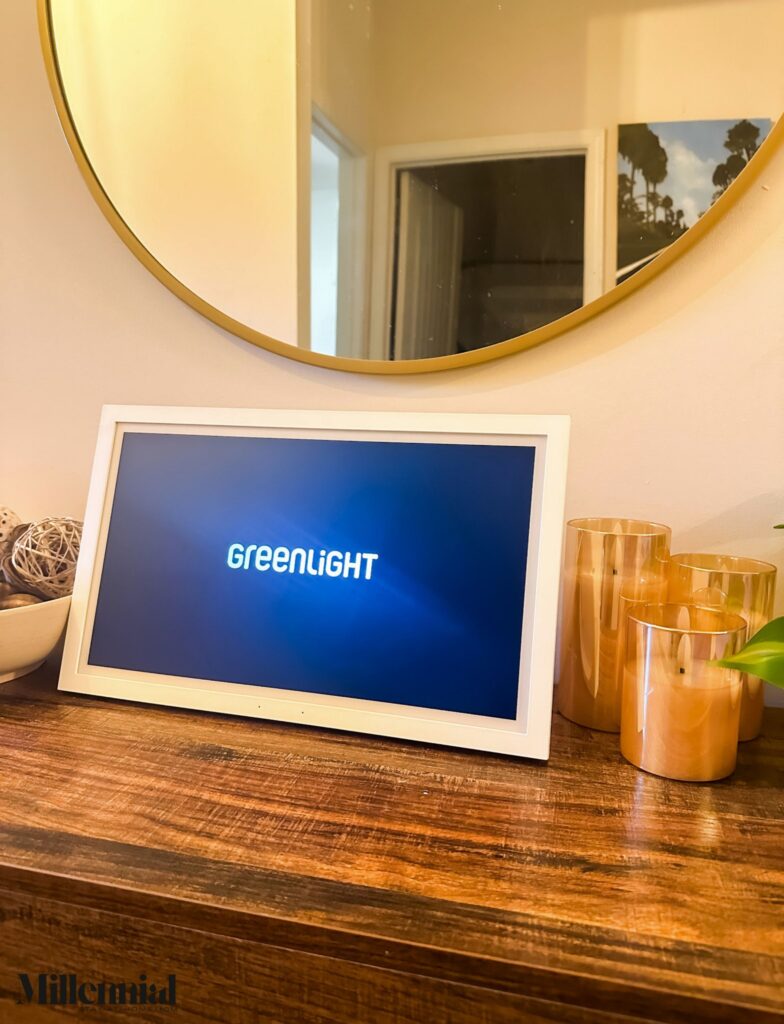
The Greenlight Family Hub is a dedicated smart display with no app store, no browser, nothing for the kids to get distracted by! It’s built to sync with your calendar, manage chores (paid and unpaid), hold grocery lists, photos, and safety features, all in one spot.
It comes in two sizes: a 10.1″ model for $199 and a 15.6″ model for $299, and both include a wall mount and a table stand, so you can put it wherever it makes the most sense for your family. For us, it worked better in our home office/game room, and we use the table stand to display it on the desk. The kids practically live in that room, so it was the perfect central location.
The Features That Actually Matter for Busy Moms
Alright, I figured I’d spare you the fluff and get right into the good stuff. Honestly, the calendar is one of my favorite features about the Family Hub!. It syncs automatically with Google, Apple, Outlook, and iCloud. So I took the time to add all of the events that the kids had coming up, including recurring events like practices and upcoming tests. I love that I can see all their events on one shared screen, and I’m telling you, it’s made them so much more proactive!
They stop by the Hub themselves and see everything happening at school and in their activities, instead of asking me the same question ten times a day. Now they remind me when a field trip is coming up or a permission slip is due!
When it’s not showing your calendar, the Hub doubles as a digital photo frame that syncs with Google Photos and iCloud, with no extra subscription needed!
As I mentioned above, chores are a very big deal, especially chores that they can do to earn money. They love that they can mark chores complete right on the Hub, and because this is Greenlight, those earnings go directly to their cards. I really love that I can assign a specific dollar amount to each chore, and the boys can watch on the Hub how much they’ve earned and how much they have left to go before the week wraps up. The Greenlight Family Hub comes with a handful of pre-set chores to get you started, but you can also add your own custom ones that best fit your household.
There’s a dedicated space for to-do lists and groceries. The to-do list has been great for teaching the kids the more detailed steps in certain routines in our home, like cleaning the bathrooms or the kitchen. I also love that you can even build your own custom lists. Since my goal is to tailor the Family Hub to the kids, the grocery list feature has been a great way for them to add the snacks and food items they’d like in their lunchbox the following week.
Greenlight also offers a GPS tracker for kids, and while we don’t use it yet, I’m curious because the Hub can show real-time locations on the display, plus place alerts and driving reports!
Things To Know Before You Buy
While we have enjoyed the Greenlight Family Hub so far, if you are feeling curious or even persuaded by my review, I want to share a few things worth knowing before you buy:
- Since The Greenlight Family Hub is a part of a larger ecosystem, you’ll get the most out of it if your family is already using (or open to using) Greenlight’s broader suite of products.
- While I personally haven’t had any issues with Greenlight’s app, it has strong overall ratings, but I came across a handful of complaints online about dispute resolution on the financial side. Worth keeping in mind if you’re planning to lean into the card and allowance features, not just the Hub itself.
- The upfront cost is also worth considering as you decide whether adding the Greenlight Family Hub to your family’s routine is right for you. The Family Hub starts at $199 for the 10.1-inch model and $299 for the 15.6-inch model.
Final Thoughts: Is Greenlight Family Hub Worth It?
If your household is hanging on by a thread in terms of organization and schedules, having a central hub is one of the easies ways to get everyone on board and in tune with eachother’s schedules.
In my case, it’s been a great way to get the kids to become a lot more proactive about their daily routines and rhythms, and it encourages them to take more responsibility and initiative when completing their daily tasks. For families like mine, who are already in the Greenlight world, it felt like a natural next step. Especially now, since chores can be directly tied to real earnings.
My honest take? Obviously, it’s not going to make the mental load disappear completely; honestly, I’m not sure that there is any one product that can. But I do know that, for me, in this season of motherhood, delegating tasks not only lightens my load, but it also means my babies are getting older, more capable, and even more responsible. That said, I believe the Greenlight Family Hub is a smart choice for families looking for smoother days and for moms wanting to lighten the mental load.
Frequently Asked Questions About the Greenlight Family Hub
I know my review won’t answer every question you may have, and I know some of us really appreciate being able to skim without the extra fluff, so I rounded up a few key FAQs I hope you find helpful.
How is the Greenlight Family Hub different from the Greenlight app?
The Family Hub is a shared physical display built for the whole family to see and interact with together, while the Greenlight app on your phone handles account-level tasks like approving chores, managing card settings, and adjusting safety features. They work together, not in place of each other.
How much does the Greenlight Family Hub cost?
The Greenlight Family Hub is a one-time device purchase. $199 for the 10.1″ model or $299 for the 15.6″ model. After that, you choose your plan: Family Hub Free (no ongoing cost) or Family Hub Plus (a paid monthly or annual subscription) for the full features.
Do you need a subscription for the Greenlight Family Hub?
Not necessarily. The free tier includes the shared family calendar, chores, to-do and grocery lists, the digital photo frame (screensaver), and automatic calendar tagging. To unlock the “Hey Greenlight” voice assistant, the AI text assistant, email-to-calendar syncing, and full Family Safety features, you’ll need the paid Family Hub Plus plan.
Does the Greenlight Family Hub have a camera?
The Family Hub has no built-in camera, so it can’t take photos or record video. Photos displayed on the Hub sync from Google Photos or iCloud instead.
Does the Greenlight Family Hub sync with Google Calendar and Apple Calendar?
Yes. It syncs directly with Google, Apple, Outlook, and iCloud calendars, so your family doesn’t have to abandon the calendar app you already use or manually re-enter events.
Can kids use the Greenlight Family Hub on their own?
Kids can check the calendar, mark off their own chores, and manage their lists independently. Any changes to the household setup, such as adding new chores or editing events, are locked behind the parent Admin PIN.
Does the Greenlight Family Hub need Wi-Fi?
Yes, you need a Wi-Fi connection to sync your calendar, chores, lists, and photos.
Visit the Greenlight website to learn more about the Greenlight Family Hub!